Build Note
A result object is not an evaluated result
Why automated ANSYS Mechanical work needs separate geometry, setup, solver-input, solved, evaluated, and credibility gates.
Related project: ANSYS_skill
Part 1 of Validating Mechanical automation
The useful distinction in this project is not between “automation” and “manual work.” It is between an object that exists and evidence that supports a precise workflow state. Filesystem and GUI checks still do not establish physical correctness.
Experiments in checking solver state and result evidence in automated ANSYS Mechanical workflows.
This repository grew out of a simple validation problem: in Mechanical, the existence of a result object does not imply that the model has been solved and evaluated correctly. I wanted a more explicit way to record what state a workflow had actually reached.
The current repository is part agent guidance, part failure-case notebook, and part small Python validation prototype. It does not try to prove that a simulation is physically correct. It checks whether the expected delivery files and result evidence exist, then leaves the engineering assumptions and numerical credibility open for review.
Discovery / SpaceClaim geometry
  → Workbench project
  → Mechanical setup and mesh
  → solver input and solution state
  → evaluated result evidence
  → benchmark comparison and report
A geometry file, a result object, or an exported view is not proof of a solved result. The current checks look for the matching Workbench delivery envelope, solver artifacts, an evaluated contour and legend, populated numerical Min/Max values, and a relevant analytical or numerical benchmark.
Working rule: do not report a workflow as complete merely because the expected objects exist. Report the strongest state that the available solver and post-processing evidence supports.
What is in the repository
ansys-mechanical-mvp/— agent guidance and checks for the Discovery-to-Mechanical minimum viable path.cae-validation-platform/— broader FEM/CFD review notes and experiments with validator/report contracts.src/ansys_skill_platform/— a small tested Python package for workflow configuration, delivery checks, benchmark references, and CLI experiments.benchmarks/andexamples/— machine-readable cantilever reference data and a configured workflow example.tests/— unit coverage for configuration, pipeline execution, Mechanical delivery checks, and the benchmark model.
Skills
Ansys Mechanical MVP
ansys-mechanical-mvp/
Use this skill when working on:
- Discovery or SpaceClaim geometry handoff
- Workbench
.wbpjproject delivery - Mechanical
Static Structuralsetup - mesh/load/result-object review
- PyMAPDL benchmark comparison
- deciding whether Mechanical results are truly solved and evaluated
Claude Code users can start from:
CLAUDE.md
Codex users can start from:
ansys-mechanical-mvp/SKILL.md
Broader CAE validation notes
cae-validation-platform/
Use this skill when the task is bigger than a single Ansys Mechanical deliverable:
- reviewing a CAE automation repository from a strict FEM/CFD engineering standpoint
- testing how a README/checklist repository might become executable validation tooling
- defining solver-state and result-credibility gates
- designing benchmark databases, validator contracts, report contracts, and plugin boundaries
- planning future support for Mechanical, MAPDL, Fluent, Abaqus, CalculiX, PyMAPDL, PyDPF, or LLM-assisted CAE QA
The skill deliberately separates:
- physics credibility
- numerical credibility
- solver-state evidence
- postprocessing evidence
- software architecture
Prototype package
The current Python layer is deliberately small:
src/ansys_skill_platform/
  cli.py
  benchmarks/
    cantilever.py
  validators/
    mechanical.py
benchmarks/
  cantilever/
    benchmark.json
tests/
It is an experiment in moving from checklist-driven review toward checks that can be run, tested, and reported consistently.
CLI
Run a full configured workflow:
$env:PYTHONPATH = ".\src"
python -m ansys_skill_platform.cli run .\examples\cantilever_workflow.yaml
Run the package directly during development:
$env:PYTHONPATH = ".\src"
python -m ansys_skill_platform.cli benchmark cantilever
Validate a Workbench Mechanical delivery envelope:
$env:PYTHONPATH = ".\src"
python -m ansys_skill_platform.cli validate `
  "D:\ansys_runs\benchmark\cantilever_workbench.wbpj" `
  --exports "D:\ansys_runs\benchmark\mechanical_exports" `
  --json validation-report.json
After editable installation, the same command becomes:
ansys-skill validate "D:\ansys_runs\benchmark\cantilever_workbench.wbpj"
The validator checks the delivery envelope: .wbpj, _files, .mechdb, ds.dat, solver-input tokens, and suspicious AVZ exports. It still does not replace Mechanical GUI validation.
Why This Skill Exists
During the cantilever beam benchmark, the workflow reached several intermediate states that looked close to done but were not actually final deliverables:
.dscovisual geometry existed, but it was not a real Mechanical solver result..avzexports existed, but small exported view files were not enough to prove solved contours.- Mechanical result objects existed in the tree, but they still needed
SolveandEvaluate All Results. - A gray body with empty red Min/Max fields was not an evaluated stress or deformation result.
This skill keeps those states separate and gives Codex a repeatable review checklist.
Visual Review Examples
Not Yet Accepted: Result Object Exists But Is Not Evaluated
The first screenshot shows a Mechanical model where result objects are present in the tree, but the selected result has no real contour and the result values are still blank/red. This is a setup-ready state, not a solved/evaluated delivery.
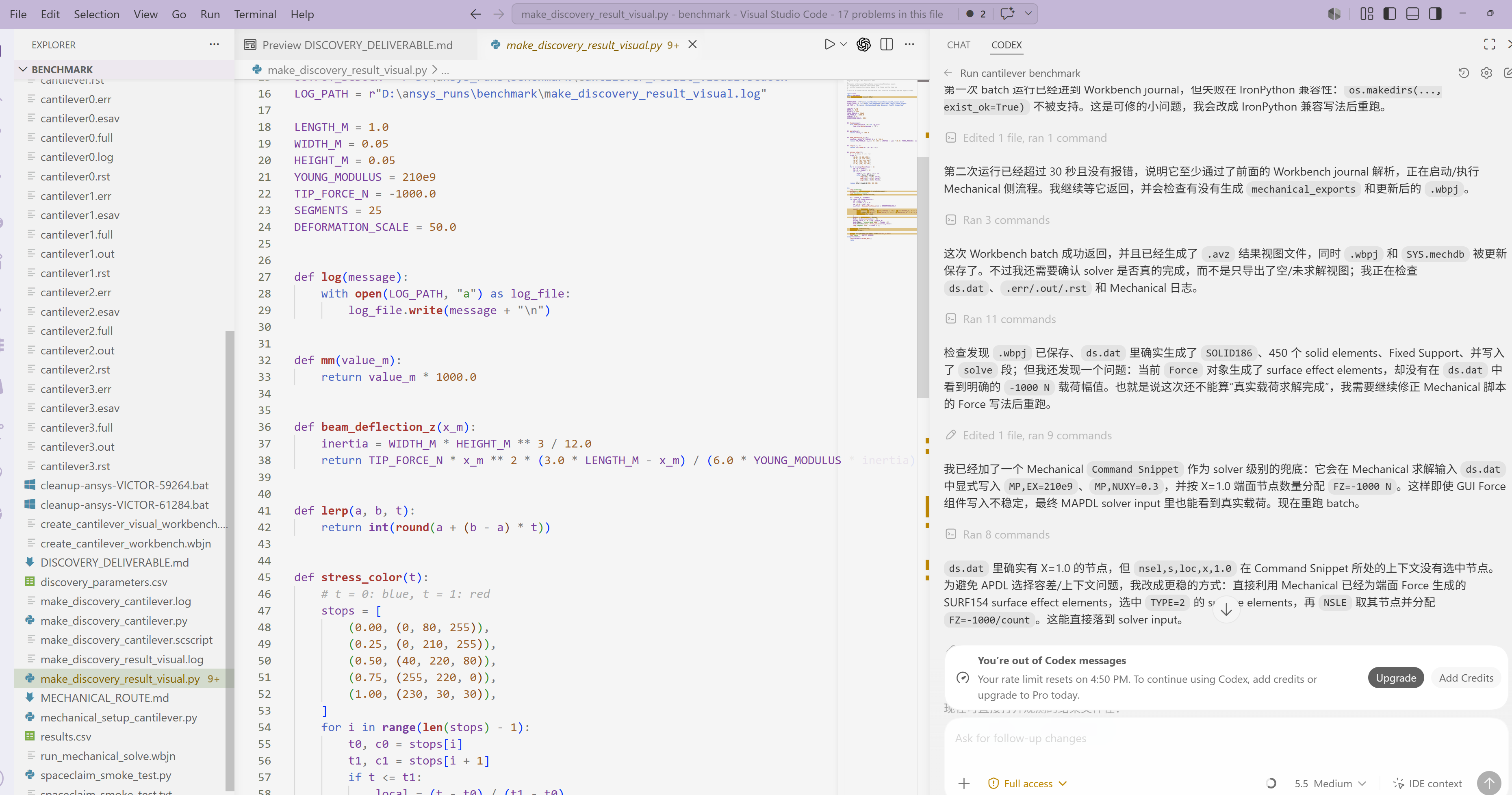
Checklist signals:
- result object is selected
- geometry is still gray
- no stress/deformation contour legend is visible
- Minimum/Maximum fields are empty or red
- result item still needs solve/evaluate
Accepted Target: Evaluated Mechanical Contour
The second screenshot shows the desired target state: Mechanical displays a colored contour with legend, min/max markers, and populated numerical values.
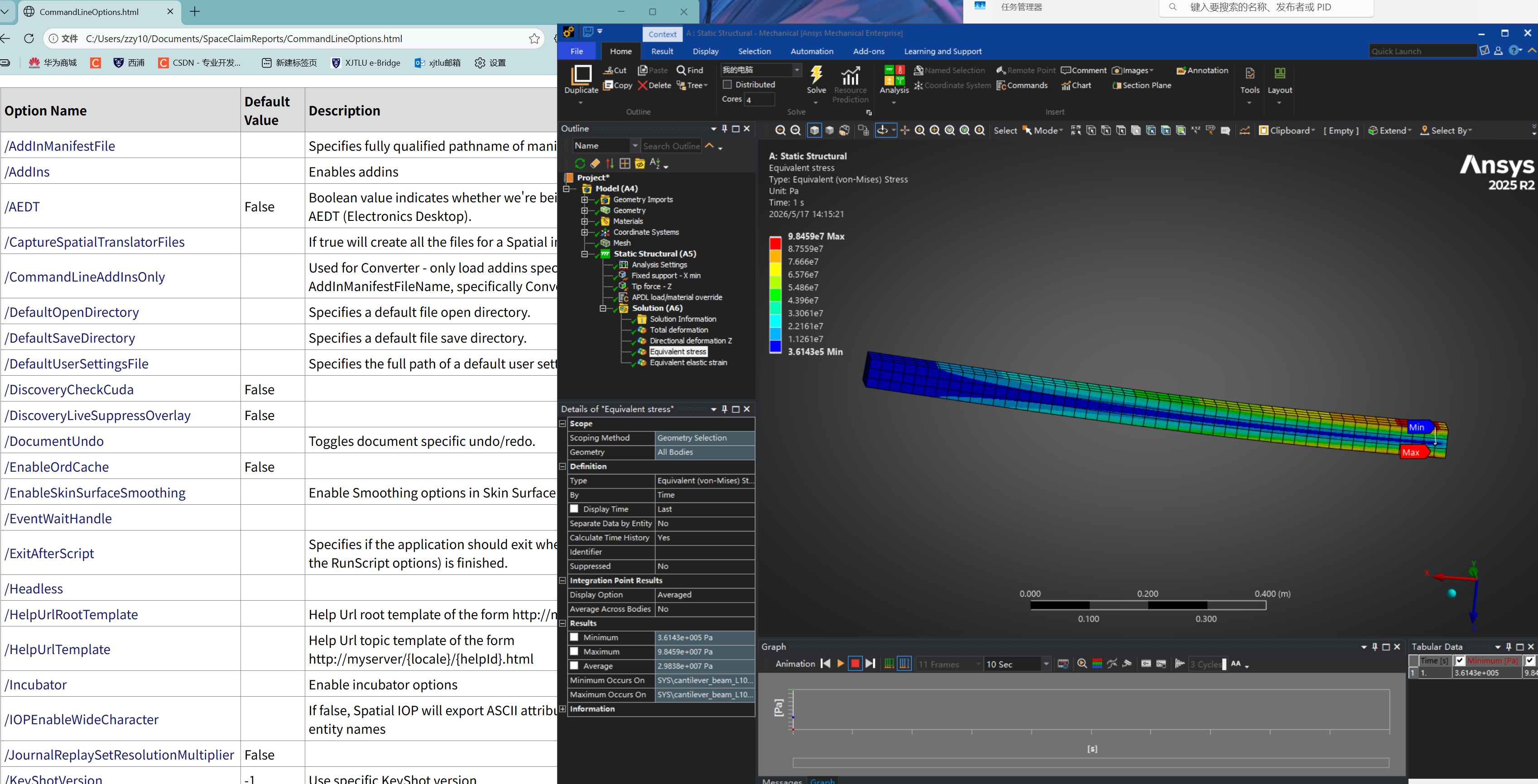
Checklist signals:
- body shows colored contour
- legend is visible
- Min/Max markers are displayed
- Details panel contains numerical Minimum/Maximum values
- result object has been evaluated after the latest mesh/load change
Minimum Viable Path
The recommended workflow is deliberately narrow:
- Build or edit geometry in Discovery / SpaceClaim.
- Save the geometry as
.scdocx. - Create a Workbench
Static Structuralsystem. - Attach the geometry to the Workbench system.
- Open the
Modelcell in Mechanical. - Define material in Mechanical.
- Generate mesh in Mechanical.
- Apply supports and loads in Mechanical.
- Add result objects in Mechanical.
- Solve in Mechanical.
- Evaluate all results in Mechanical.
- Save the
.wbpjwith its matching_filesdirectory.
Final Acceptance Criteria
A Workbench Mechanical deliverable is accepted only when all of the following are true:
.wbpjopens without missing-file warnings.- Matching
_filesdirectory exists beside the.wbpj. - Mechanical Outline contains expected mesh, material, support, load, and result objects.
- Mesh has been generated.
- Solution has been solved after the latest setup change.
- Result objects have been evaluated.
- Selected result shows a colored contour.
- The graphics window shows a legend.
- Details panel shows non-empty Minimum and Maximum values.
- Benchmark cases have a numerical reference, such as Euler-Bernoulli displacement or PyMAPDL output.
Repository Layout
CLAUDE.md
README.md
pyproject.toml
ansys-mechanical-mvp/
  SKILL.md
  agents/
    openai.yaml
  references/
    mechanical-mvp.md
  scripts/
    check_mechanical_delivery.py
cae-validation-platform/
  SKILL.md
  agents/
    openai.yaml
  references/
    strict-fem-cfd-review.md
    platform-refactor-playbook.md
src/
  ansys_skill_platform/
    cli.py
    benchmarks/
    validators/
benchmarks/
  cantilever/
    benchmark.json
tests/
assets/
  images/
    not-evaluated-result.png
    evaluated-contour-result.png
Quick Filesystem Check
The bundled script can catch missing project pieces and suspicious exports:
python .\ansys-mechanical-mvp\scripts\check_mechanical_delivery.py `
  "D:\ansys_runs\benchmark\cantilever_workbench.wbpj" `
  --exports "D:\ansys_runs\benchmark\mechanical_exports"
This script does not prove engineering correctness. It only checks files. Final validation still happens in Mechanical by visually confirming contours, legend, and numeric result ranges.
Important Distinction
Use precise status language:
Geometry ready: Discovery / SpaceClaim geometry exists.Project ready:.wbpjand_filesexist.Setup ready: Mechanical tree contains material, mesh, supports, loads, and result objects.Solver input generated: files such asds.datexist.Solved/evaluated: Mechanical shows contour, legend, and non-empty Min/Max values.
Do not collapse these states into a single "done" status.
Installation
To use this skill locally with Codex, copy or clone ansys-mechanical-mvp into your Codex skills directory:
Copy-Item -Recurse .\ansys-mechanical-mvp "$env:USERPROFILE\.codex\skills\ansys-mechanical-mvp"
Then ask Codex to use the ansys-mechanical-mvp skill when building or reviewing Ansys Discovery / Workbench Mechanical deliverables.
Development
Run tests with:
$env:PYTHONPATH = ".\src"
python -m unittest discover -s tests
Run the validator on a project:
$env:PYTHONPATH = ".\src"
python -m ansys_skill_platform.cli validate <project.wbpj> --exports <optional-export-dir>
Roadmap
Possible next experiments:
- package the validator as a stable CLI
- add richer Mechanical solver-input parsing
- generate JSON and Markdown engineering reports
- add benchmark database entries beyond the cantilever case
- add PyMAPDL / PyDPF result extraction
- add mesh-convergence and sanity-check workflows
Longer-term direction:
- plugin validators for Mechanical, MAPDL, Fluent, Abaqus, and CalculiX
- simulation QA dashboards
- CI checks for benchmark regressions
- LLM-assisted engineering review agents
License
MIT. ANSYS product names and trademarks belong to their respective owners; this repository is an independent open-source validation project.
Current public source: repository document →